Image to ASCII Art Converter Online
Free, no sign-up, instant — turn a photo into text art made of letters and symbols.
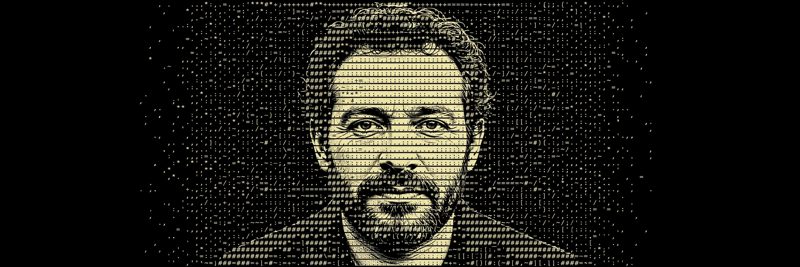
Image
ASCII art
Recent conversions on this device
How this tool works
Method. The image is scaled to your chosen width and each pixel becomes a character — darker pixels get denser characters. Height is adjusted so the art keeps the image's shape in monospace text.
Privacy. Everything happens in your browser with the Canvas API. Your image is never uploaded or shared; the recent-conversions record stays on this device only.
Limits. JPG, PNG or WebP up to 10 MB; width from 40 to 200 characters.
How to use
- Enter your details in the boxes above: Your image, Width, Character set.
- Use the image to ascii art converter online controls to adjust any options the tool offers.
- Press Convert or change a value, and the result updates on the page.
- Check the result, then copy, download or print it using the buttons shown, if the tool offers them.
About this tool
This image to ascii art converter online is a free tool that works directly in your browser, with no sign-up and nothing to install. The image is scaled to your chosen width and each pixel becomes a character — darker pixels get denser characters. Height is adjusted so the art keeps the image's shape in monospace text. Everything happens in your browser with the Canvas API. People search for it as "free image to ascii art converter online", "best image to ascii art converter", "image to ascii art color", and this page covers those uses in one place. Because everything runs on your own device, your input is not uploaded to a server, which keeps the tool fast and private.
Frequently asked questions
Is this image to ascii art converter free?
Yes. This image to ascii art converter online free tool costs nothing and needs no account. Open the page, enter your input and the result appears at once, with no limits on normal use.
Do I need to sign up to use the Image to ASCII Art Converter?
No sign-up is needed. The tool runs in your browser and your input is never uploaded, stored or shared, so you can use it privately in seconds.
How do I use this image to ascii art converter online?
Follow the short steps above: enter your details in the boxes, adjust any options, and read the result on the page. Most results can then be copied or downloaded with the buttons shown.
What should I know about method?
The image is scaled to your chosen width and each pixel becomes a character — darker pixels get denser characters. This is handled automatically by the Image to ASCII Art Converter, so you do not need to work it out by hand.
What should I know about privacy?
Height is adjusted so the art keeps the image's shape in monospace text. This is handled automatically by the Image to ASCII Art Converter, so you do not need to work it out by hand.
Related tools
- Photo Collage Maker
- GIF Maker
- CSS Animation Generator
- CSS Clip-Path Generator
- CSS Text Shadow Generator
- CSS Flexbox Generator
All tools — browse all 200 free tools on the homepage.