Remove Duplicate Lines Online
Free, no sign-up, instant — clean a list down to unique lines — emails, names, log lines, anything. The result updates live as you type. Everything happens in your browser; nothing is uploaded or stored.
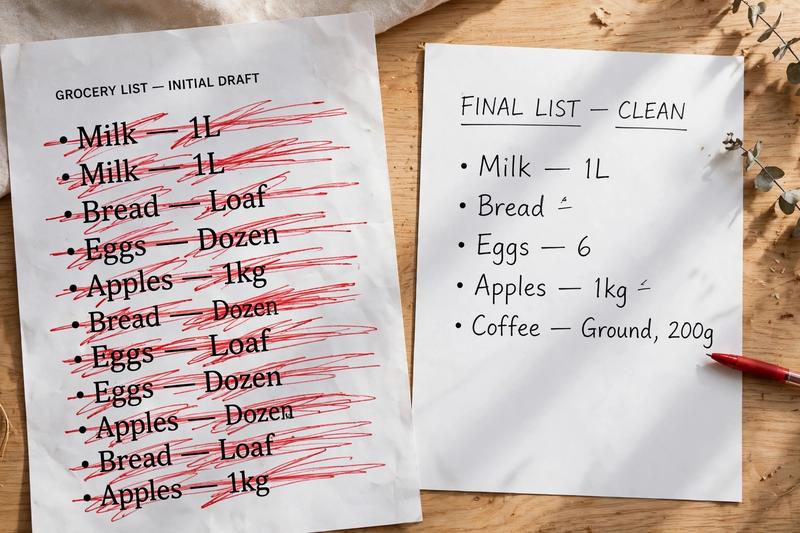
Your list
Paste a list with one item per line.
Unique lines
Removed lines
How this tool works
Matching. Two lines count as the same when their text matches under the settings you chose. With “Case-sensitive” on, “Apple” and “apple” are different lines; with it off, they are the same. With “Trim” on, spaces at the start and end of a line are ignored when matching (and trimmed in the output); with it off, “ apple” and “apple” are different lines. Lines that contain only spaces follow the trim setting too.
Keep first / keep last. “Keep the first occurrence” keeps the line where it first appeared and drops later copies. “Keep the last occurrence” keeps the line where it last appeared, in the order of those last appearances.
Sort A–Z. Sorts the unique lines alphabetically after removing duplicates.
Removed lines. Every dropped copy is listed under “Removed lines”, so you can check nothing you needed was lost.
Privacy. Everything happens in your browser. Your list is never uploaded, stored or shared.
Limits. Very large pastes (100,000+ lines) may be slow on low-end phones; this tool warns above 50,000 lines.
How to use
- Enter your details in the boxes above: Lines — one per line, When a line repeats, Sort A–Z.
- Use the remove duplicate lines online controls to adjust any options the tool offers.
- Press Copy result or change a value, and the result updates on the page.
- Check the result, then copy, download or print it using the buttons shown, if the tool offers them.
About this tool
This remove duplicate lines online is a free tool that works directly in your browser, with no sign-up and nothing to install. Two lines count as the same when their text matches under the settings you chose. With “Case-sensitive” on, “Apple” and “apple” are different lines; with it off, they are the same. With “Trim” on, spaces at the start and end of a line are ignored when matching (and trimmed in the output); with it off, “ apple” and “apple” are different lines. People search for it as "remove duplicate lines online free", "remove duplicate lines text mechanic", and this page covers those uses in one place. Because everything runs on your own device, your input is not uploaded to a server, which keeps the tool fast and private.
Frequently asked questions
Is this remove duplicate lines free?
Yes. This remove duplicate lines online free tool costs nothing and needs no account. Open the page, enter your input and the result appears at once, with no limits on normal use.
Do I need to sign up to use the Remove Duplicate Lines?
No sign-up is needed. The tool runs in your browser and your input is never uploaded, stored or shared, so you can use it privately in seconds.
How do I use this remove duplicate lines online?
Follow the short steps above: enter your details in the boxes, adjust any options, and read the result on the page. Most results can then be copied or downloaded with the buttons shown.
What should I know about matching?
Two lines count as the same when their text matches under the settings you chose. This is handled automatically by the Remove Duplicate Lines, so you do not need to work it out by hand.
What should I know about keep first / keep last?
With “Case-sensitive” on, “Apple” and “apple” are different lines; with it off, they are the same. This is handled automatically by the Remove Duplicate Lines, so you do not need to work it out by hand.
Related tools
- Text Reverser
- Lorem Ipsum Generator
- Morse Code Translator
- Sentence Counter
- Paragraph Counter
- Reading Time Calculator
All tools — browse all 200 free tools on the homepage.